
Deploy Storage
Overview
Voltage Park's On-Demand Storage solution is a high-performance, scalable, and cost-efficient storage layer purpose-built for GPU-accelerated workloads.
Backed by VAST Data’s Universal Storage architecture, our storage offering delivers all-flash performance and exabyte-scale capacity to meet the demands of modern AI, ML, HPC, and data-intensive applications.
Our on-demand storage solution is optimized to feed data at GPU-scale speeds, removing storage bottlenecks for AI/ML training and inference. Attach storage volumes to GPU compute instances in seconds. Only pay for what you use.
How to Deploy a Storage Volume
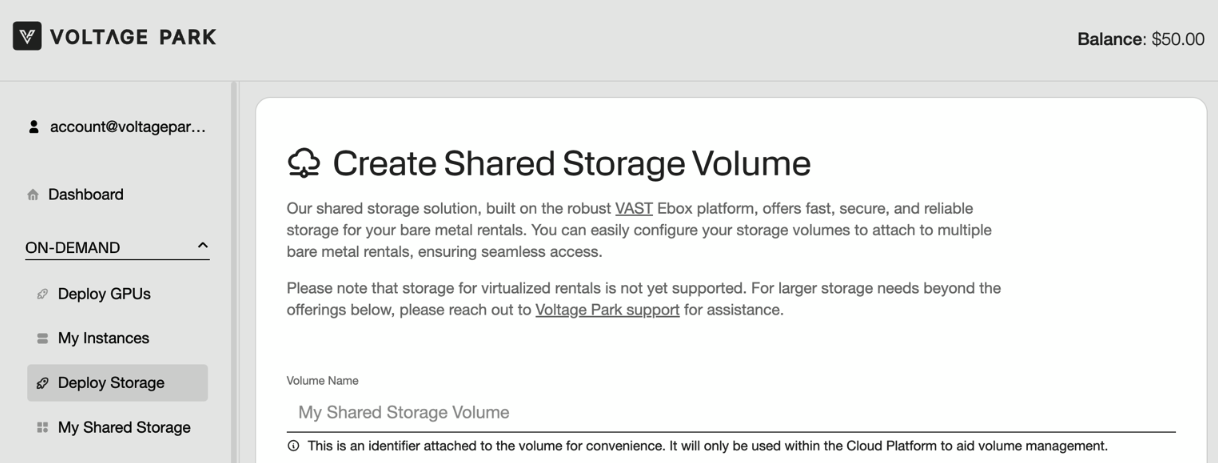
Navigate to the Deploy Storage page.
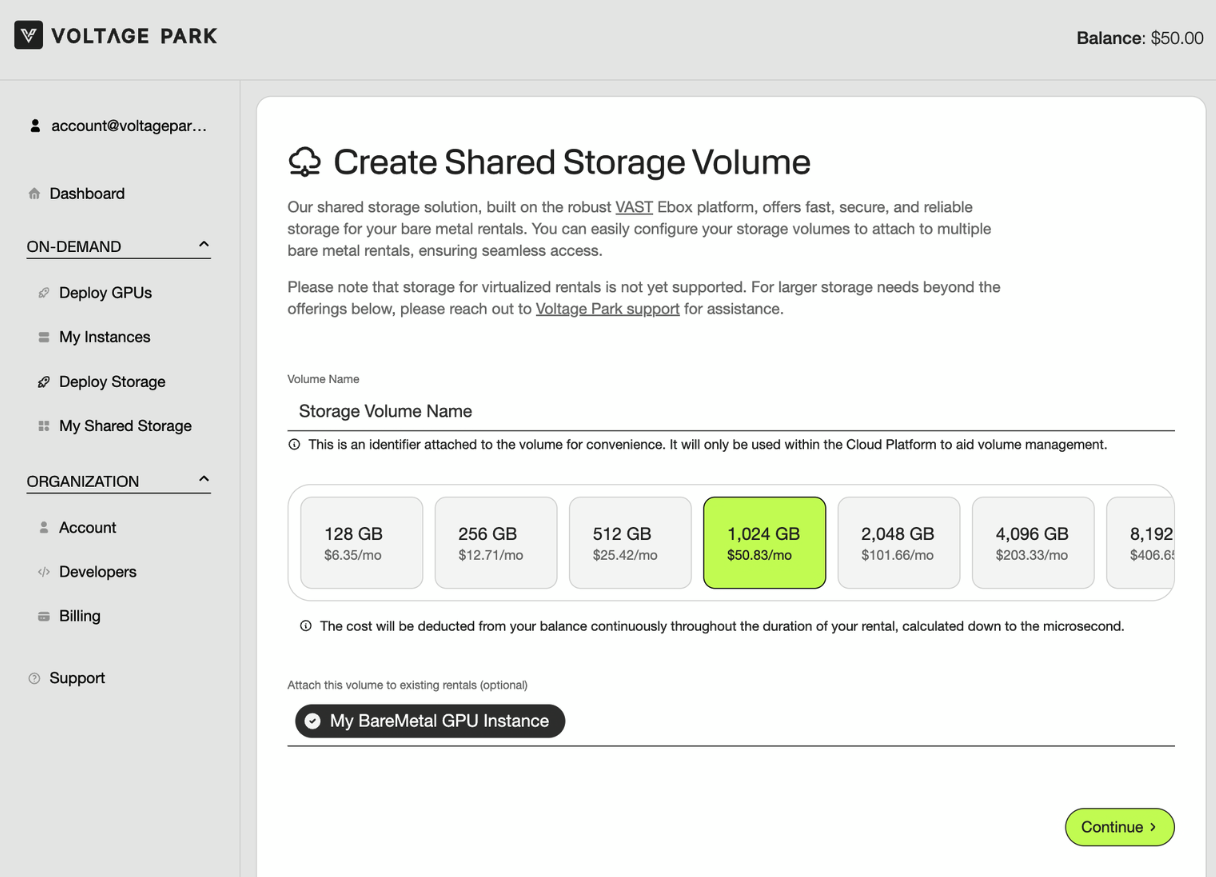
Provide a name for your storage volume, and select the size of the storage volume you want to rent.
Optionally: Choose a bare metal GPU Instance to attach the storage to > Continue
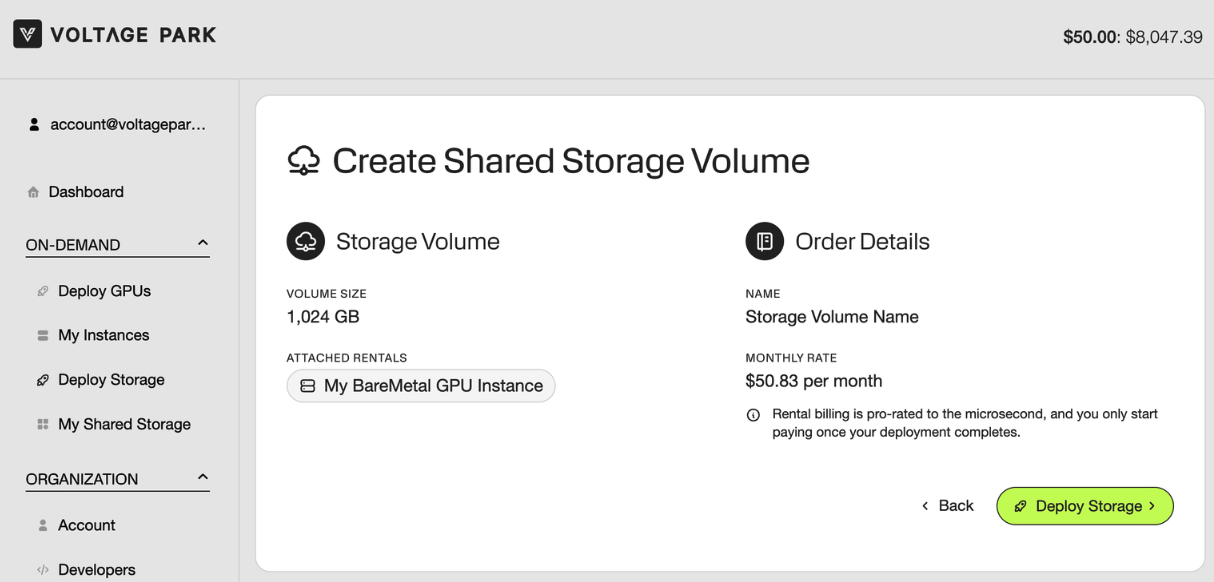
Make sure all the provided information is accurate > Click Deploy Storage
Once deployed, you will be sent to the My Shared Storage page where you can view your storage details and manage your storage volumes.

Managing Your Shared Storage
The My Shared Storage page lists all of your rented storage volumes.
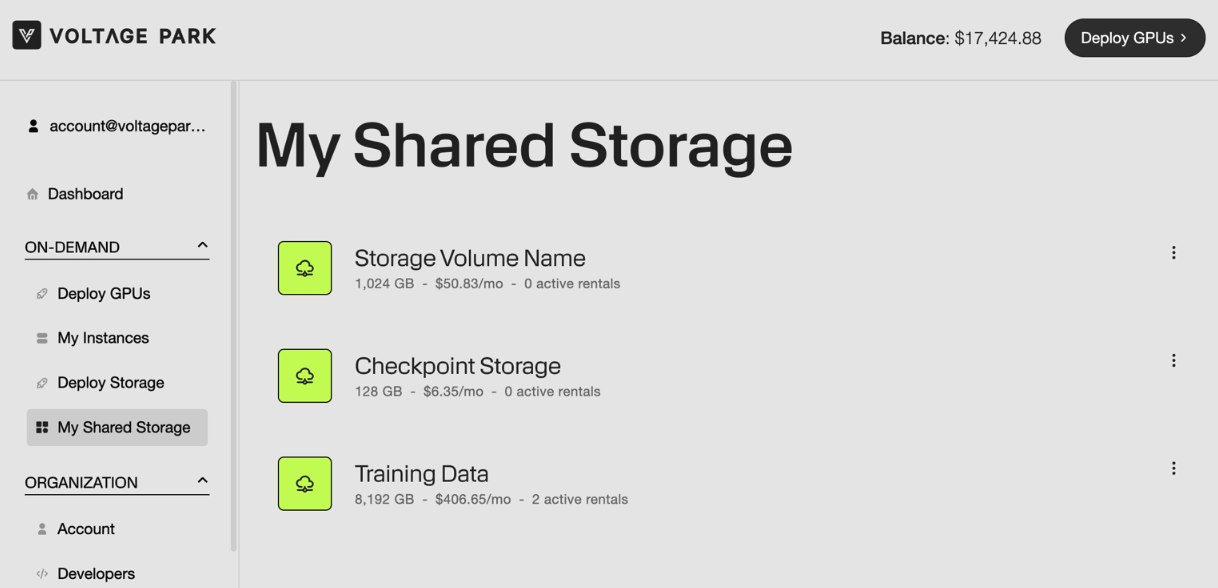
Clicking into any of the listed storage volumes will allow you to access the controls for the selected volume.
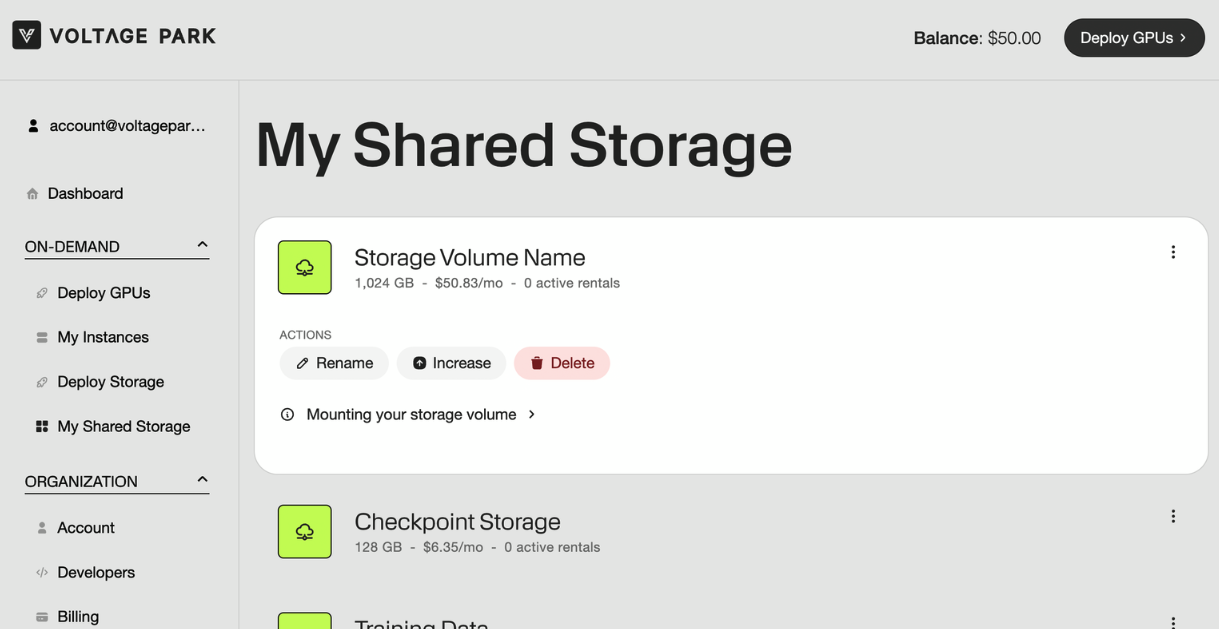
From here, you can rename, increase the capacity of, and delete the storage volume.
IMPORTANT: Deleting the storage volume will terminate the rental and delete all of the data stored on the volume.