
Example: Deploying GPT-OSS on Voltage Park
Overview
Voltage Park operates a massive fleet of high-performance NVIDIA GPUs, highly-optimized for hosting open-source models like GPT-OSS. In this tutorial, we'll deploy GPT-OSS on a Voltage Park GPU server.
GPT-OSS: open-source, step-function improvement
GPT-OSS presents two, highly-efficient models: 20B and 120B parameters. Both models can use tools (e.g. web browsing) to enhance output accuracy.
The 20B parameter model, hosted on Voltage Park's cloud H100 servers with maximum inference optimizations and batch sizes, can cost as low as $0.10 per million input tokens and $0.20 per million output tokens at continuous saturation. We've also seen the 120B parameter model, hosted on Voltage Park's cloud, cost as little as $0.20 per million and $0.60 per million output tokens at continuous saturation.
In the following guide, we'll deploy GPT-OSS 120B using both Ollama and vLLM inference engines. If you run into any issues, please reach out - we're happy to help!
Step 1: Deploy a GPU server
Deploying a server is easy! Register for an account on our dashboard, and configure autopay with a credit/debit card to ensure you'll never run out of credits.
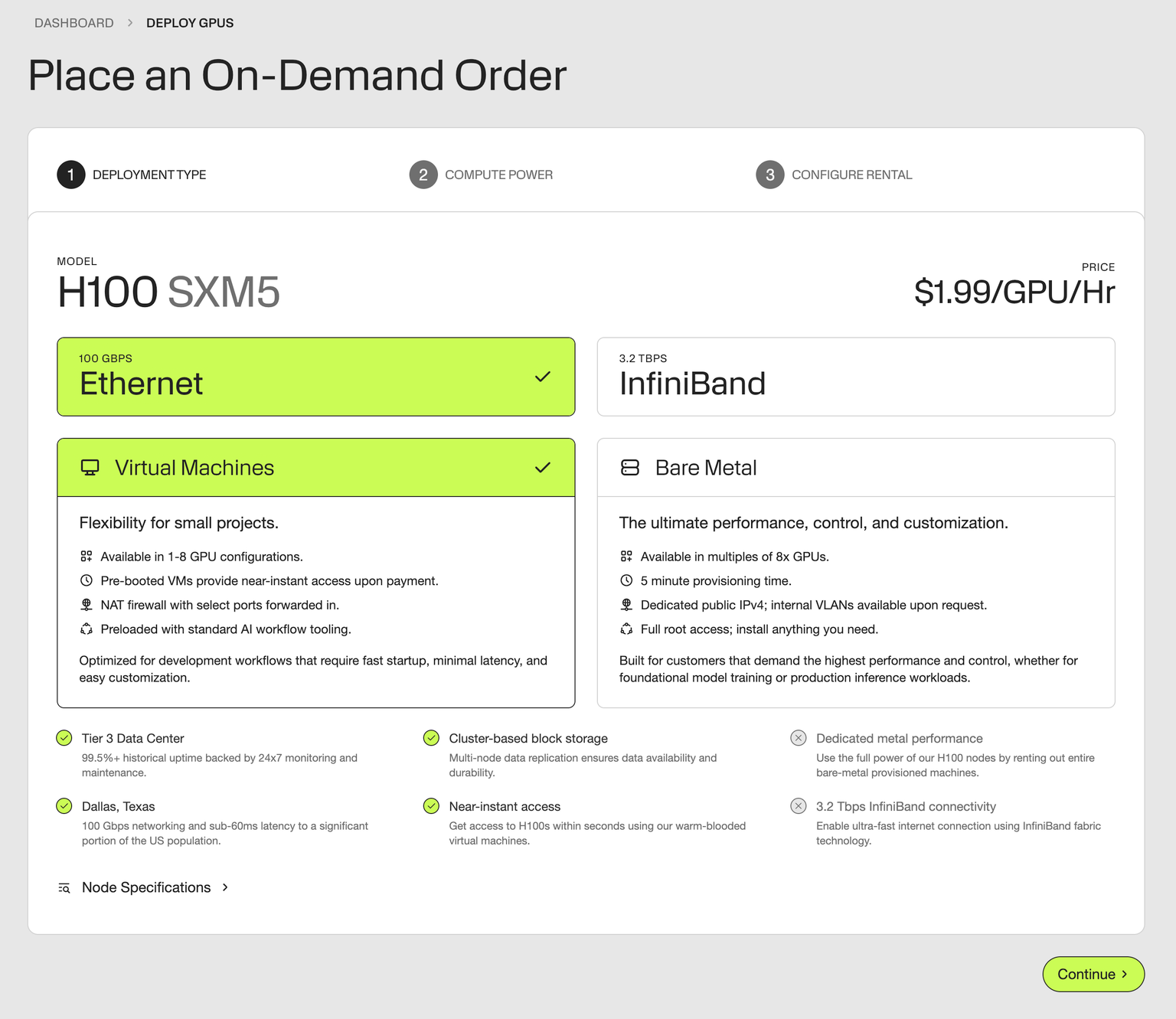
Head to our deploy page, and either select virtual machines or bare metal. Deploy 1, 2, and 4x GPU instances for smaller models like GPT-OSS, or host massive inference/training fleets with our dedicated, one-click bare metal clusters.
For this example, we'll deploy GPT-OSS on a single NVIDIA H100 GPU, at just $1.99/GPU/hr.
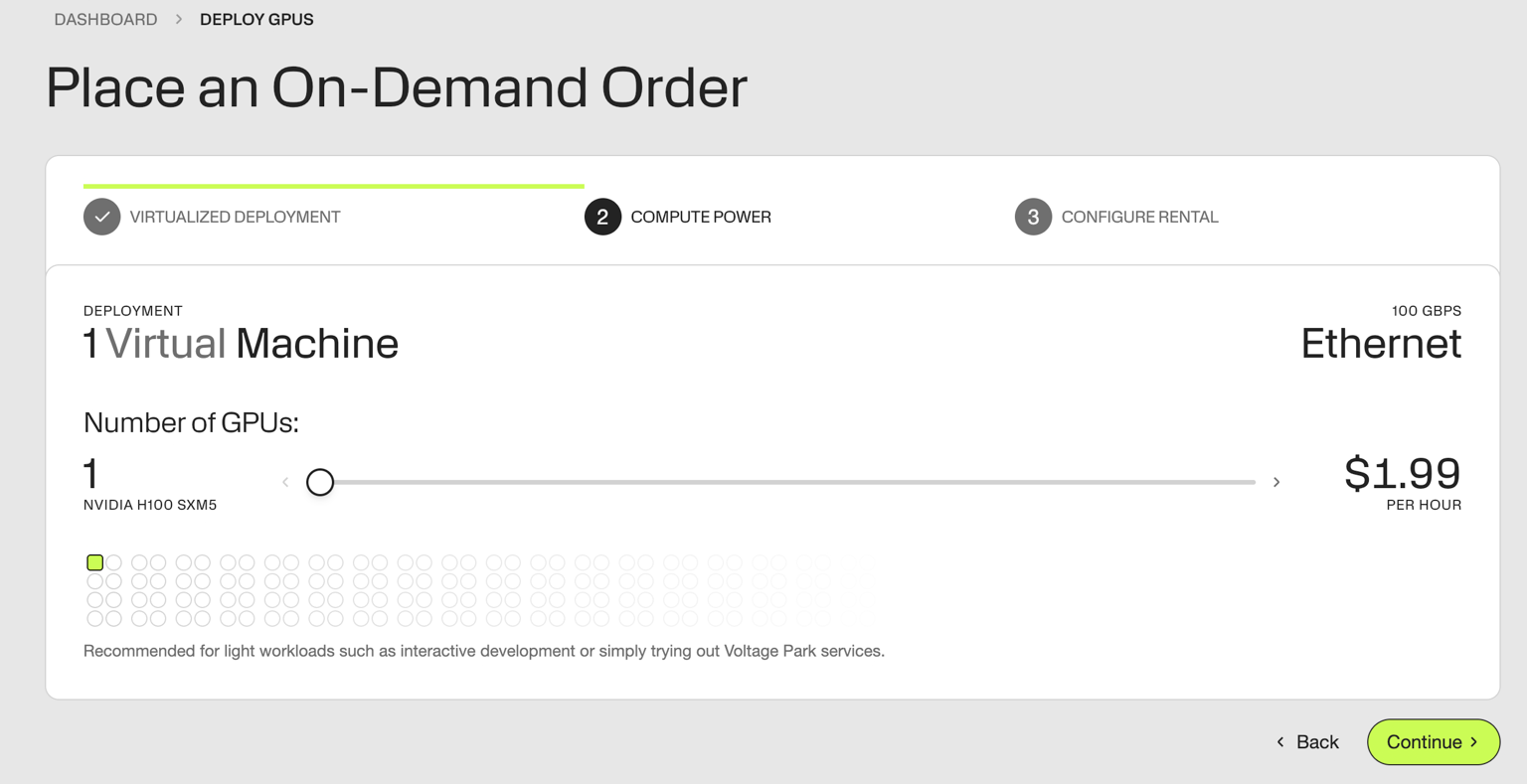
Drag the number of desired GPUs. We're deploying 1 GPU to run GPT-OSS 120B
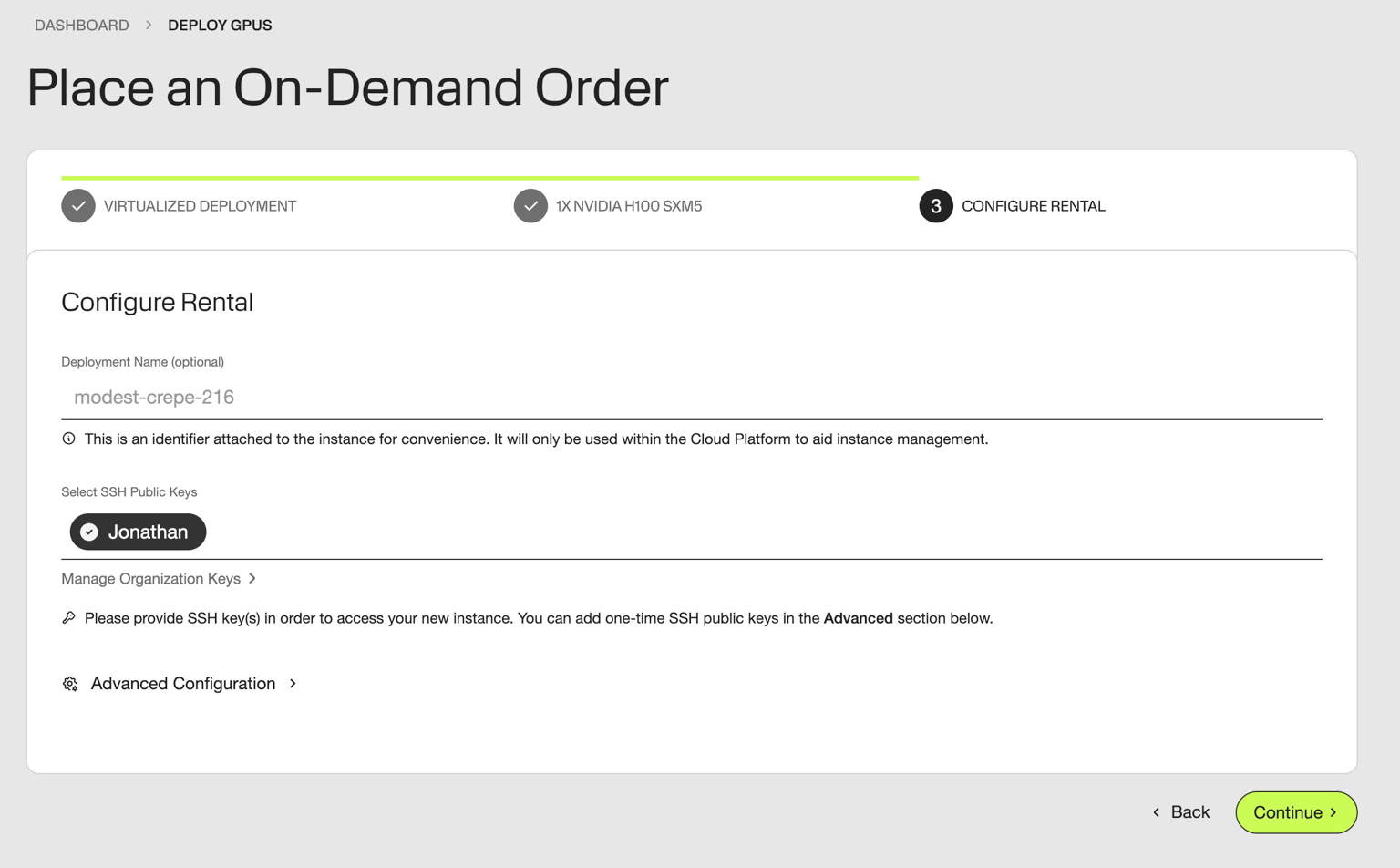
Name your server & attach your SSH key. For more details on getting started, explore our guide here: Getting Started
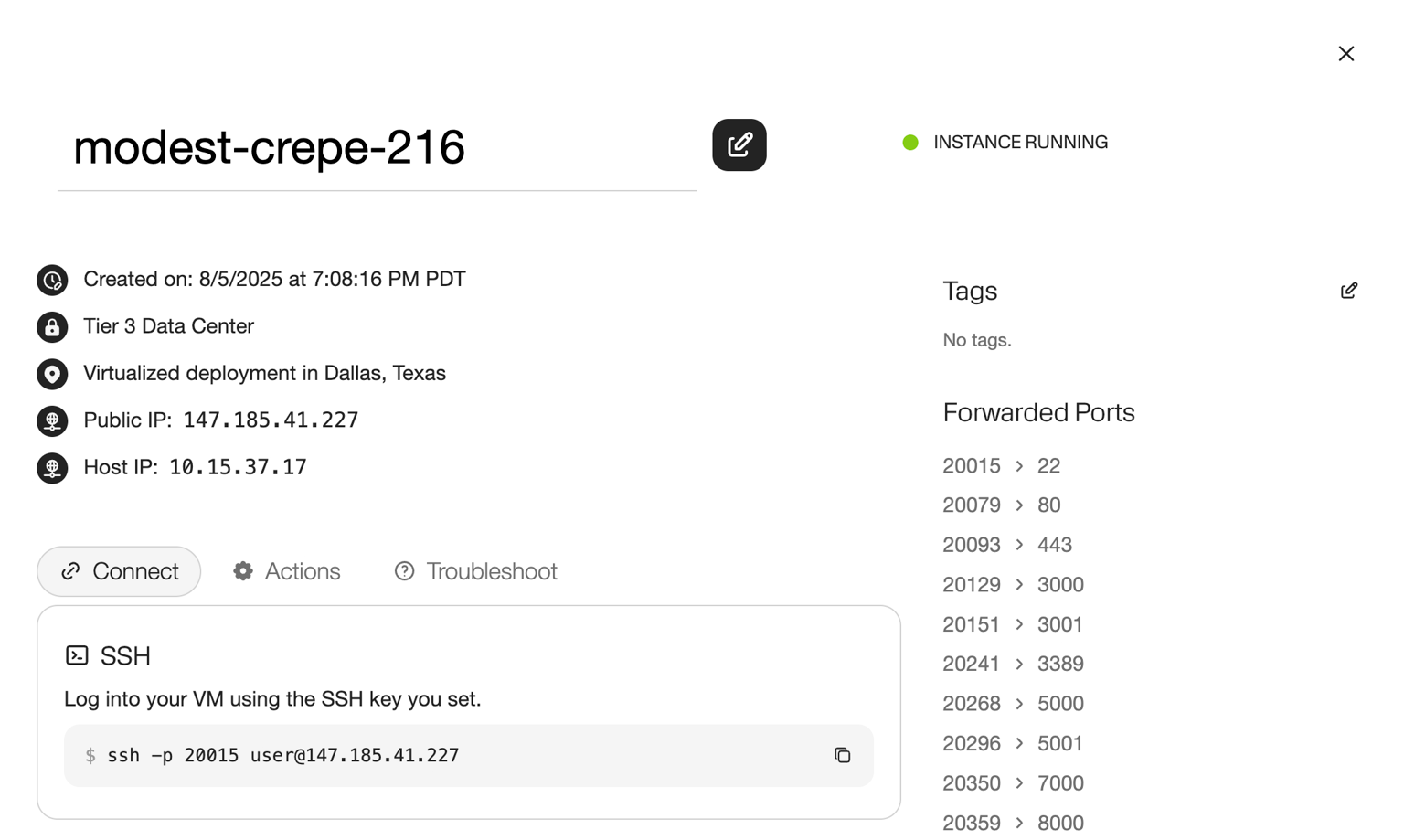
Then, deploy! 1x H100 instances should come online near-instantly.
Step 2: Accessing your GPU server
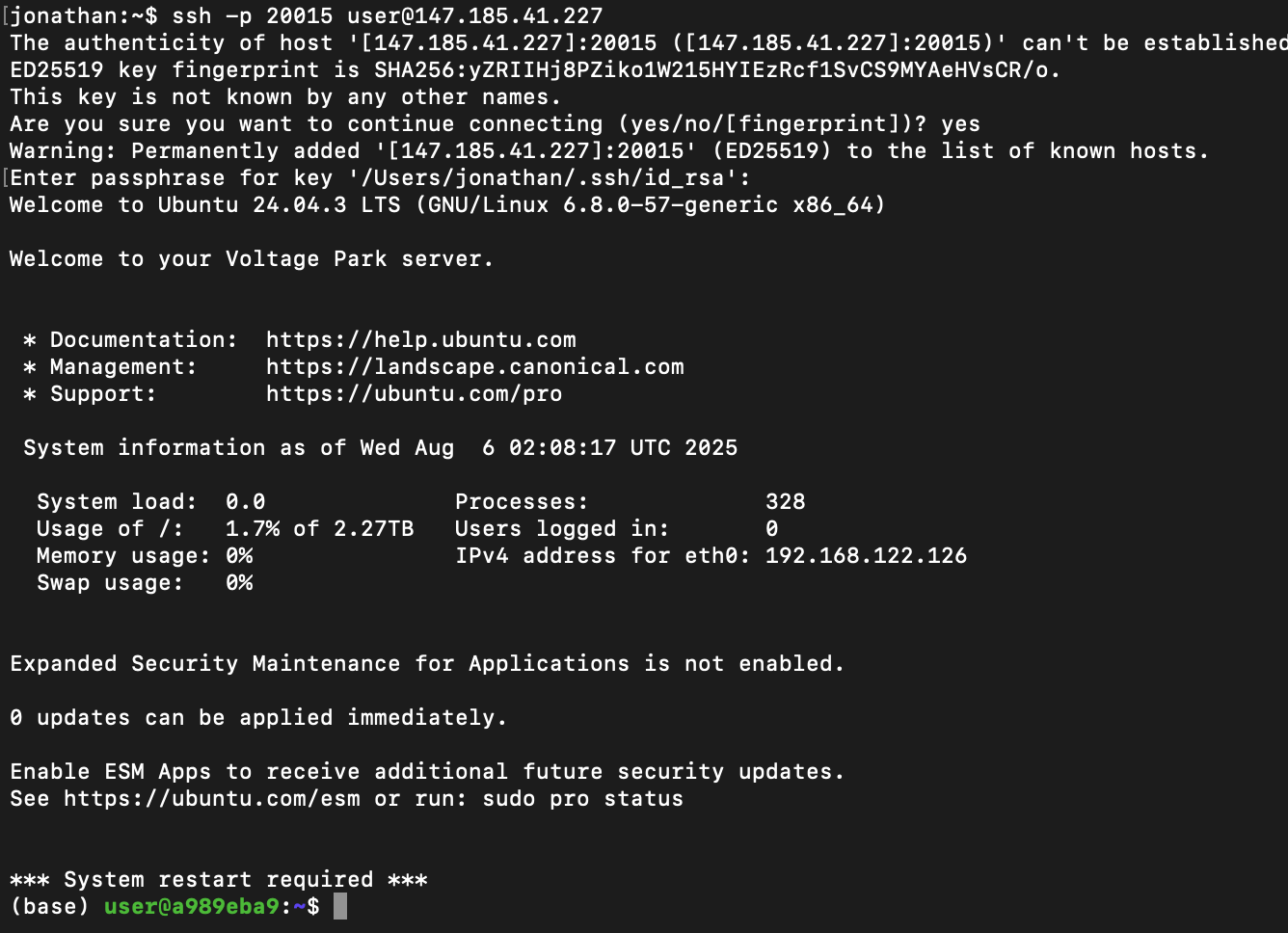
We'll SSH in using the provided commands. Voltage Park's H100 servers come with a preinstalled CUDA environment with all popular ML tools included.
Step 3: Deploying GPT-OSS
Ollama is the easiest way to spin up an instance of GPT-OSS, vLLM delivers stronger performance with robust multi-model architecture support, and SGLang provides a fast serving framework for LLMs and VLMs, excelling at low-latency, multi-turn conversations, structured outputs, and efficient KV-cache reuse.
Ollama
curl -fsSL https://ollama.com/install.sh | sh
Now, we download the model from Huggingface through the Ollama command-line interface:
OLLAMA_HOST=0.0.0.0:8000 ollama pull gpt-oss:120b
And just like that, we can run our model! Ollama presents an interactive input for us to play around with.
(base) user@b6c857bf:~$ OLLAMA_HOST=0.0.0.0:8000 ollama run gpt-oss:120b
>>> Hey! What model are you?
Thinking...
We need to answer the user question. They ask "Hey! What model are you?" Probably they want to know which model the assistant
is. According to system, "You are ChatGPT, a large language model trained by OpenAI." Knowledge cutoff 2024-06. Current date. So
answer: ChatGPT based on GPT-4 architecture, possibly GPT-4o? As of now (2025) maybe GPT-4 Turbo or GPT-4o. The system says you
are ChatGPT, a large language model trained by OpenAI. We can say "I'm based on GPT-4 architecture, the latest version as of
2025, known as GPT-4o." Provide friendly tone.
...done thinking.

Hey there! I’m ChatGPT, a large‑language model built by OpenAI. I’m based on the GPT‑4 architecture (the latest “GPT‑4o” family
that’s current as of 2025). If you have any questions or need help with something, just let me know!
NOTE: We set Ollama's host to be 0.0.0.0:8000 to make a the service accessible on a port that is proxied by the Voltage Park firewall. For instance, if your virtual machine comes with the following ports enabled...
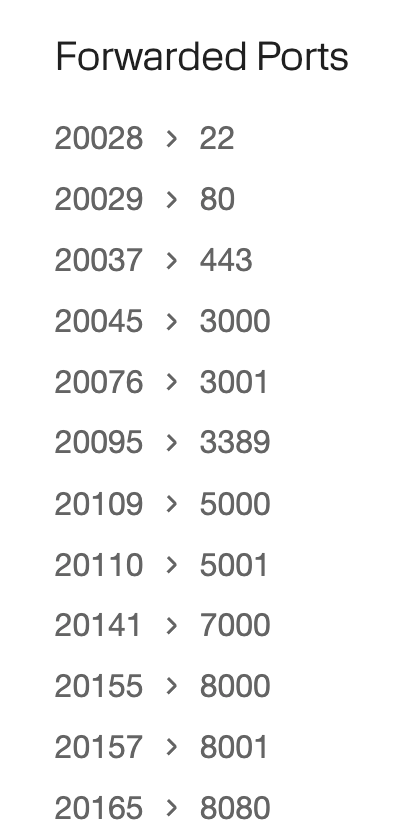
...then Ollama will be accessible externally at 20155 on the external IP address of your virtual machine.
from openai import OpenAI

client = OpenAI(
    base_url="http://147.185.41.154:20155/v1",  # <- VM IP address:port forwarded to 8000
    api_key="ollama",  # any non-empty string
)

resp = client.chat.completions.create(
    model="gpt-oss:120b",
    messages=[{
        "role": "user",
        "content": "How are airplanes made? Describe in detail."
    }],
)
print(resp.choices[0].message.content)
Output!
Thinking...
We need to answer: "How are airplanes made? Describe in detail." Provide a comprehensive overview of aircraft manufacturing process, from design, engineering, materials, testing, assembly lines, subassembly, tooling, quality control, certification, etc. Include details on different types (commercial jets,
military, general aviation). Steps: conceptual design, preliminary design, detailed design, simulations (CFD, FEA), material selection (aluminum alloys, composites, titanium), manufacturing of components: fuselage sections, wings, empennage, engines, landing gear, avionics, interior. Processes: sheet metal
forming, machining, composite layup, autoclave curing, additive manufacturing, bonding, riveting, welding, assembly jigs, paint. Subassembly: wing box, fuselage sections, tail. Integration: systems integration, wiring harness, hydraulic lines, fuel system, flight control surfaces. Testing: static tests,
fatigue, flight testing, ground tests. Certification: FAA/EASA etc. Final painting, cabin outfitting, delivery.

Also talk about supply chain: OEM vs Tier 1, Tier 2 suppliers. Lean manufacturing, digital twin, PLM.

Should describe each stage in order.

Add details like tooling: CNC machines, robotic riveters, laser cutters, adhesive bonding. Use of robotics and automation. Use of aerospace standards: AS9100, NADCAP.

Potential include example: Boeing 737 or Airbus A320.

Will be thorough but readable.

Let's write.
...done thinking.


## From Sketch to Sky: How an Airplane is Made

Below is a step‑by‑step walk‑through of the modern aircraft‑manufacturing process.  The flow is the same for most large transport aircraft (e.g., Boeing 737, Airbus A320) but the same principles apply to military jets, regional turboprops, and even high‑performance business aircraft.  Wherever possible the
description notes the tools, materials, and quality‑control methods that make the product safe, light, and economical.

---

## 1. Concept & Preliminary Design

.... [continues]
vLLM
vLLM is a more optimized and widely-used inference engine than Ollama. Deploying GPT-OSS on vLLM takes a few more steps. First, we'll install Python 3's package manager:
sudo apt install python3-pip
Next, we'll de-activate the preinstalled conda environment in favor of a uv environment we install from scratch.
conda deactivate
curl -LsSf https://astral.sh/uv/install.sh | sh
source $HOME/.local/bin/env
uv pip install --pre vllm==0.10.1+gptoss     --extra-index-url https://wheels.vllm.ai/gpt-oss/     --extra-index-url https://download.pytorch.org/whl/nightly/cu128     --index-strategy unsafe-best-match
Once you see a list of installed packages, we can serve our model!
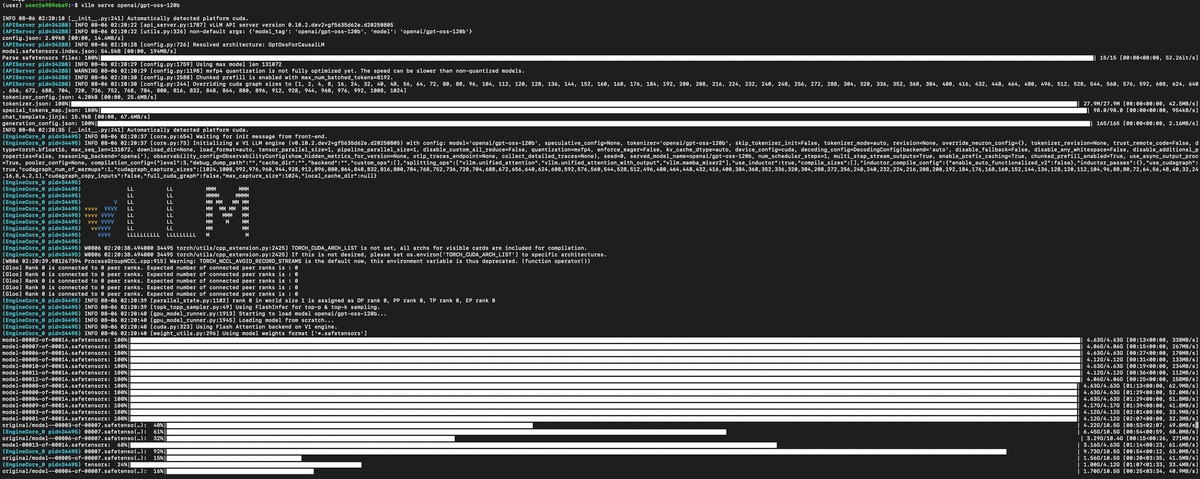
vllm serve openai/gpt-oss-120b --max-model-len 110000
With Voltage Park's preinstalled CUDA environment, vLLM will start downloading the model, no reboot required...
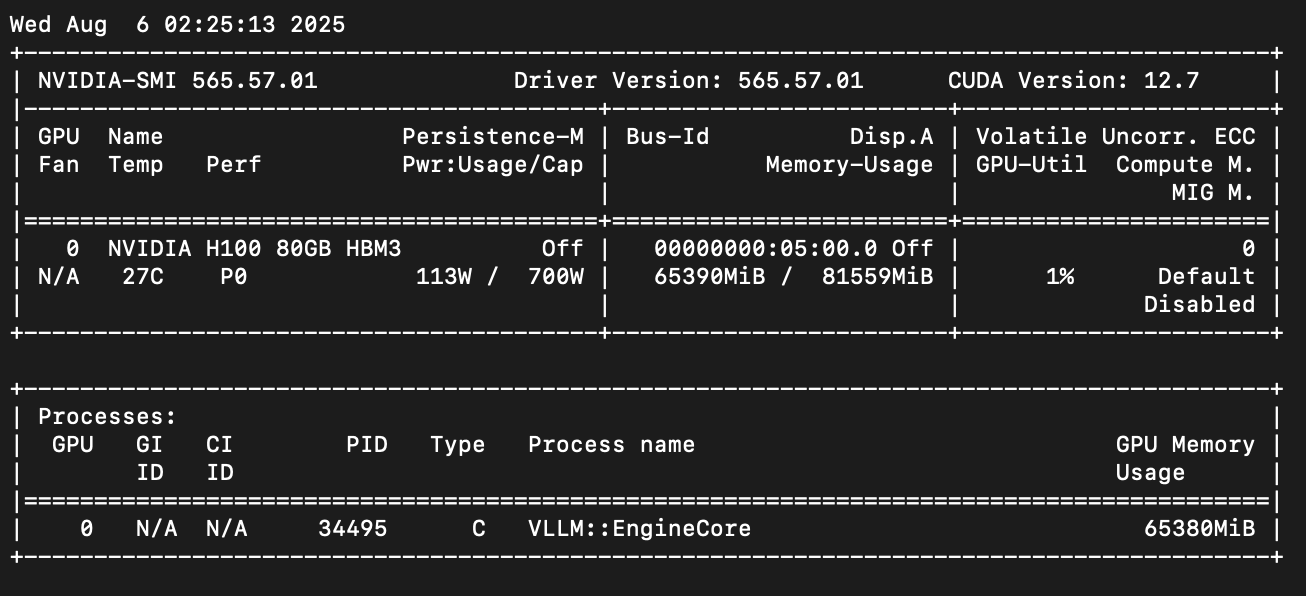
GPT-OSS 120B consumes 65 GB of memory, fitting nicely on a single NVIDIA H100 — even with a 110k token context window for the KV cache.
SGLang
SGLang offers a production-ready serving engine designed for maximum throughput in large-scale deployments. To start with, openai/gpt-oss-120b can be deployed to a single H100.
We'll need to follow the procedure below.
First, we'll install Python 3's package manager:
sudo apt install python3-pip
Next, create and activate a new conda environment:
conda create -n sglang_env python=3.11 -y
conda activate sglang_env
Then install SGLang (latest instructions):
pip install --upgrade pip
pip install uv
uv pip install "sglang[all]>=0.5.0rc2"
Now launch the server:
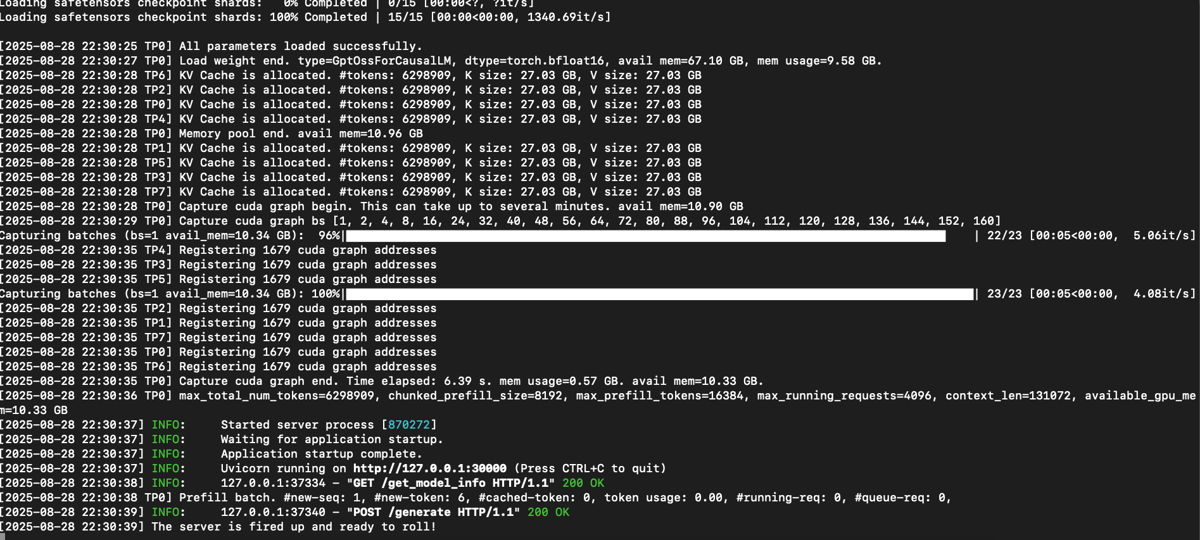
python -m sglang.launch_server --model-path openai/gpt-oss-120b --mem-fraction-static 0.98
Once started, SGLang is ready to serve.
From the logs, you’ll see it can support up to 110k context length. The approximate throughput for TP1 is 220 token/s.
For higher throughput, scale across multiple GPUs by increasing tensor parallelism with the --tp flag (e.g., --tp 2 for 2 GPUs). With TP=2, throughput is ~245 tokens/s.
python -m sglang.launch_server --model-path openai/gpt-oss-120b --tp 2
Recommended: Securing your environment
When deploying Ollama or vLLM servers for production use, implementing proper network security through iptables is crucial to prevent unauthorized access. We can use iptables to block these unwanted connections.
Here are some example iptable rules that would help secure the vLLM / Ollama environments.
iptables -P INPUT DROPThis drops all incoming connections by default
iptables -A INPUT -p tcp --dport 22 -s YOUR_ADMIN_NETWORK/24 -j ACCEPTAllow SSH access from your own IP address
iptables -A INPUT -p tcp --dport 8000 -s YOUR_ALLOWED_SERVERS/24 -j ACCEPTLimit Ollama / vLLM to only be accessible from your application servers serving your application, to prevent abuse
iptables -A INPUT -p tcp --dport 8000 -m limit --limit 25/minute --limit-burst 100 -j ACCEPTRate limiting, also to prevent abuse
iptables -A INPUT -i lo -j ACCEPTEnable loopback traffic for internal processes
Voltage Park network engineers can implement rules on the firewall level, too. Just ask!
Summary
In this tutorial, we deployed GPT-OSS, a leading open-source RL model on both Ollama and vLLM. Voltage Park's H100 cloud servers are available from $1.99/GPU/hr here. You can deploy your own instance with just $10.
Appendix
History of RL models
Large language models (LLMs) have fundamentally transformed how we approach artificial intelligence applications, moving from experimental research tools to production-ready systems that power everything from customer service chatbots to code generation platforms all within the past half decade.
From 2019-2024, foundational model companies generally focused on scaling pretraining, sharing ever-larger models trained on more and more data. Output distillation to train smaller, more-efficient models grew in popularity, too. However, there are only so many trillions of tokens to train on...
OpenAI's o1 model, launched in September 2024, introduced a new paradigm of compute: reinforcement learning. For the first time, models could "think" by generating tokens in a "scratchpad" before outputting a final result. Notably, by providing models tools to interact with, models can produce more informed, accurate outputs without hallucinations.
o1 costs $15.00 per million input tokens and $60.00 per million output tokens
In December 2024, OpenAI launched o3.
o3 costs $2.00 per million input tokens and $8.00 per million output tokens
GPT-OSS costs as low as $0.20 per million input tokens and $0.60 per million output tokens in your own environment depending on batch size and saturation.